

Revolutionizing Ground Crew Communication
Cockpit2Ground transforms ground crew communication into a truly immersive experience for Microsoft Flight Simulator. Replacing the default GSX voice lines with authentic phraseology, professional voice talent, regional accents, and realistic radio effects, every turnaround feels like real-world airline operations — from the first call at the gate to pushback and de-icing procedures.
GSX by FSDreamTeam is required and must be legally purchased and installed for Cockpit2Ground to function!
Complete
Sound
Overhaul
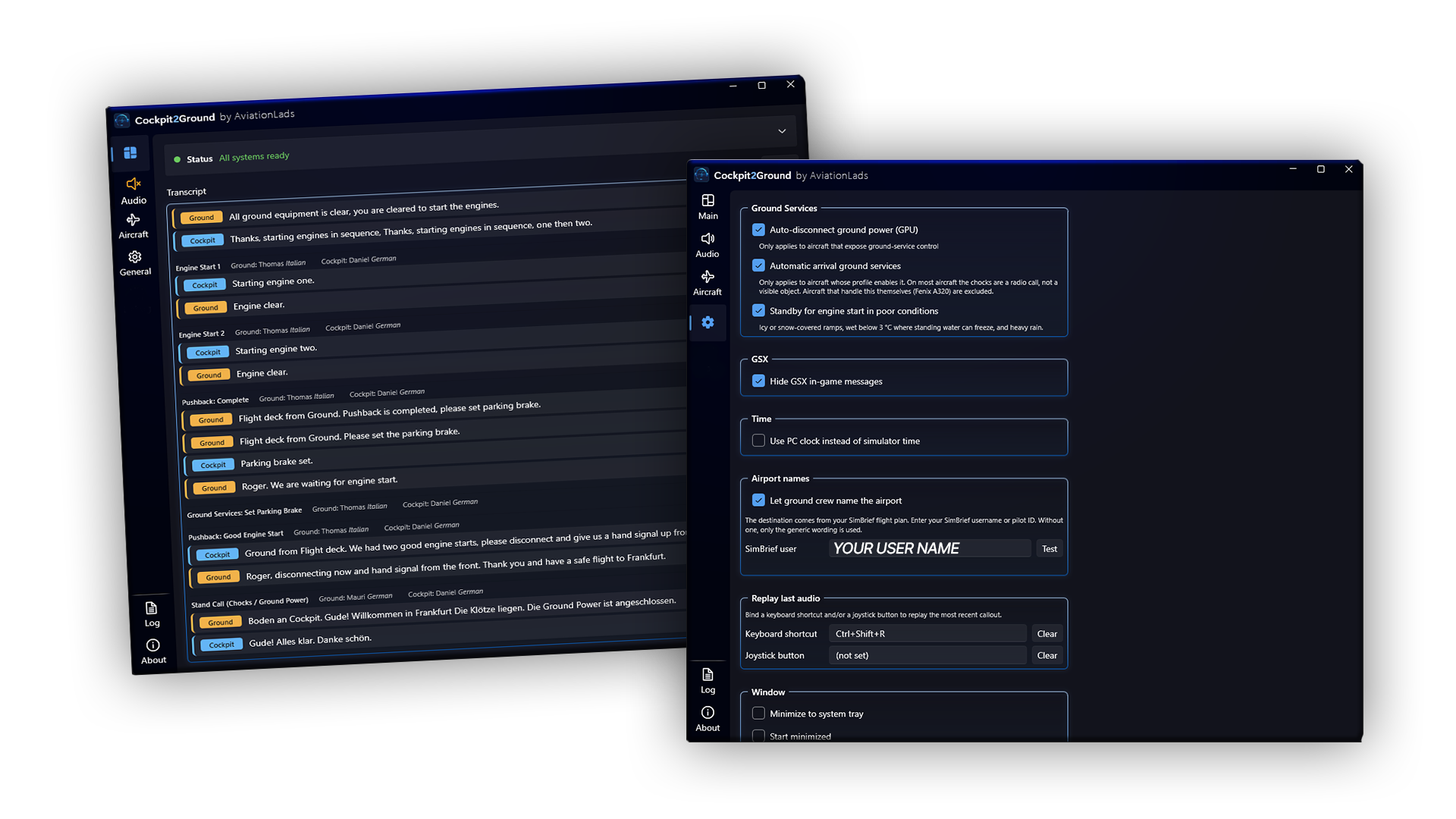
Experience a complete replacement of every GSX ground crew communication. Every voice line has been professionally recreated using authentic aviation phraseology, natural conversations, and high-quality audio production to deliver a far more immersive experience.
Realistic
Real-World
Phraseology
Global
Language
Packs
More Cockpit2Ground Features
- Complete sound overhaul of all GSX ground crew communications
- Authentic real-world aviation phraseology
- Professional voice actors and high-quality AI-generated voices
- Hundreds of phrase variations to avoid repetitive communication
- Regional greetings and local expressions depending on the airport and country
- Multiple language packs covering airports around the world
- Dedicated German language pack featuring fully German ground crew
- Regional voice accents for a truly immersive experience
- Interactive aircraft integration (e.g. aircraft's INT button to control the application audio volume)
- Dynamic conversations reacting to aircraft state and GSX events
- Complete pushback communication flow from the initial call to pushback completion
- Completely redesigned de-icing phraseology and procedures
- Compatible with all default and third-party aircraft
- Native support for advanced aircraft with interactive intercom systems
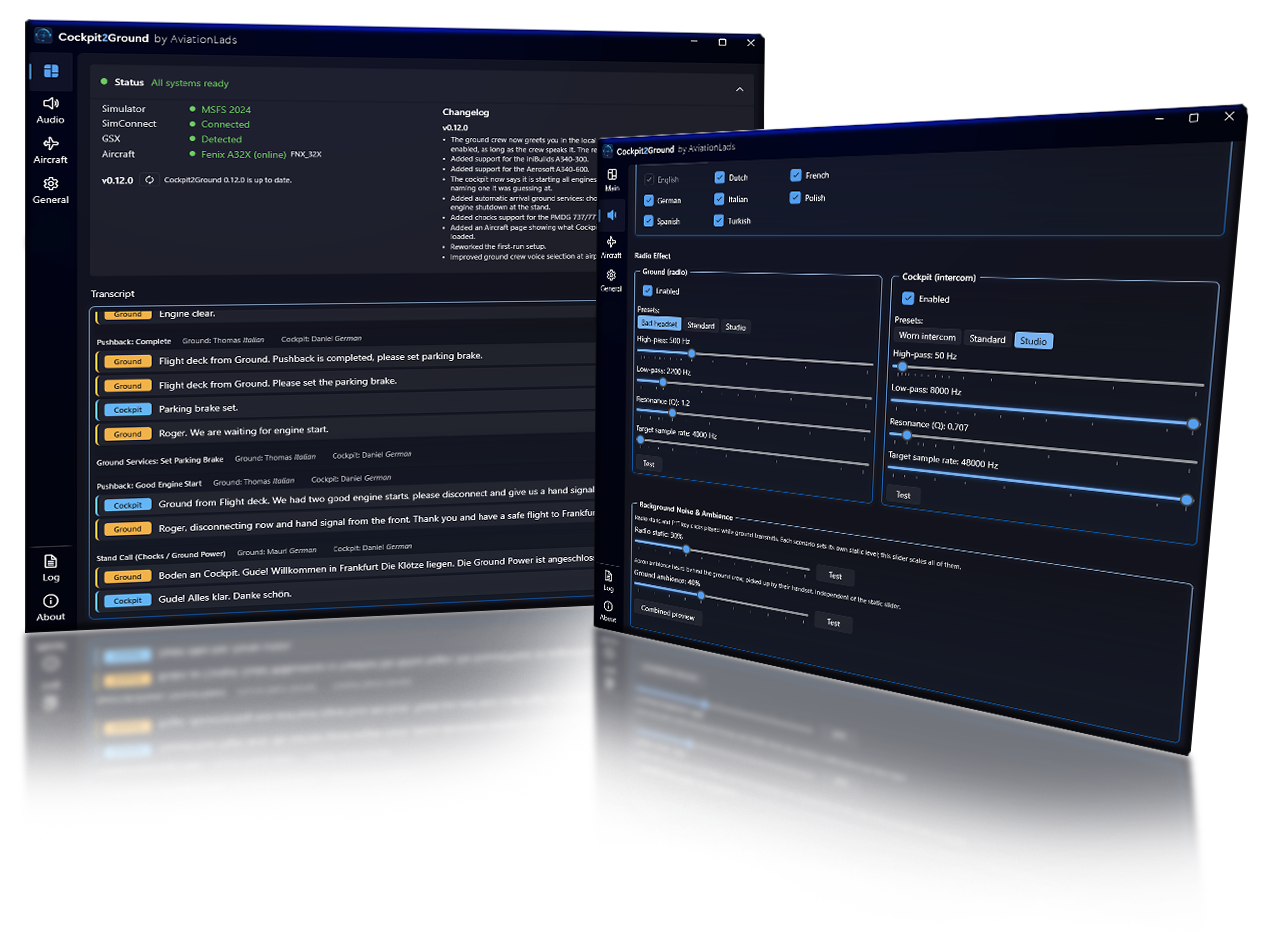
- Multiple audio quality presets, Worn, Standard, Professional - or individual settings
- Authentic radio effects, ambient sounds and background noises
- Realistic airline ground handling procedures and communication flows
- Communication that reacts to weather conditions and time of day
- Designed for Microsoft Flight Simulator 2024 while remaining fully compatible with GSX workflows
- Regular content updates with new voices, accents and language packs
A Truely Immersive Experience
Frequently Asked Questions
Which simulators are supported?
Cockpit2Ground is designed for Microsoft Flight Simulator 2024. Compatibility with future simulator versions will be added as they become available. Further it is also working with Microsoft Flight Simulator 2020 – no support.
Which platforms are supported?
Cockpit2Ground is available for Windows PC.
Which aircraft are supported?
Cockpit2Ground works with all default Microsoft Flight Simulator aircraft as well as the vast majority of third-party aircraft supported by GSX. Advanced aircraft featuring interactive intercom systems, such as Fenix and PMDG, benefit from additional immersion through aircraft-specific integration.
Do I need GSX?
Yes. Cockpit2Ground enhances and replaces the communication system used by FSDreamTeam GSX, making it a required dependency.
Is Cockpit2Ground realistic?
Absolutely. Realism is at the heart of Cockpit2Ground. We work closely with real-life airline pilots and ground crew to recreate authentic phraseology, procedures, pronunciations and communication flows. Depending on where you fly, you’ll hear regional accents, local greetings and even complete language packs—such as fully German ground crew communications at airports throughout Germany.
Does the software support multiple languages?
Does weather affect the communication?
Why can I not hear any sounds?
When will the pushback tug disconnect?
Why do I hear both GSX and Cockpit2Ground audio?
Can I customize the audio?
How do I get updates?
Where can I buy Cockpit2Ground?
Will more language packs be added?
Will Cockpit2Ground impact simulator performance?
Is an internet connection required?
Can I use Cockpit2Ground in multiplayer?
When will I hear the arrival or departure airport name?
Why is there an orange speaker icon?
Need help or support?

Published by AviationLads